SASSA biometric verification confirms that you are the real applicant by checking your face or fingerprints. Request the link on the official SRD site and complete the face scan, or visit a SASSA office if you cannot do it online. Do not use links that you did not ask for.
Contents (20 topics)
- What is SASSA biometric verification?
- Who has to complete biometric verification?
- How do you complete SASSA biometric verification online?
- How can you get a better face scan?
- Can you do biometric verification without a smartphone?
- What happens after your face or fingerprint check?
- How should you plan your office visit?
- Which problems does biometric verification not solve?
- How long does verification take to show?
- Can biometric verification help against identity theft?
- What should you take to the office?
- What does SASSA biometric verification failed mean?
- How do you fix a failed verification?
- What happens if you never complete verification?
- How is it different from e-Life Certification?
- How do you avoid fake verification links?
- What should you check after verifying?
- Tips for completing biometric verification
- Frequently Asked Questions
- Your best next step
What is SASSA biometric verification?
It is an identity check that uses something about your body. Online, that means a facial scan. At an office, it can mean your fingerprints.
The online method is called eKYC, short for electronic Know Your Client. It compares you with identity records, including information from Home Affairs.
SASSA uses it to stop other people from claiming or redirecting grants with stolen details. It is not a new application and it does not by itself approve your money.
Who has to complete biometric verification?
It depends on the grant and on what you are doing. SASSA's 2026 booklet and statements describe these cases.
| Situation | What is expected |
|---|---|
| New SRD applicant | Facial verification before approval |
| SRD status is referred | Request a link, update details and verify |
| Changing your SRD cellphone number | Facial verification |
| Updating beneficiary banking details | Facial verification may apply |
| SRD approved but not paid | Request a link and verify, if your status asks |
| Grant beneficiary without captured biometrics | Enrol at a SASSA office |
| Told to prove you are alive | Complete e-Life Certification |
For social grants such as old age or child support, Beneficiary Biometric Enrolment started at SASSA offices on 1 September 2025. It captures fingerprints or facial data. People without captured biometrics are placed into the review process and told to provide them.
If SASSA has not asked you for anything and your payments are normal, check with SASSA before you travel.
How do you complete SASSA biometric verification online?
Request the link yourself from the SRD website, then follow the camera instructions on your phone.
- Open srd.sassa.gov.za by typing the address.
- Choose the identity verification or update option.
- Enter your ID number and registered cellphone number.
- Wait for the SMS with your link.
- Open it on a smartphone with a working front camera.
- Allow camera access.
- Place your face inside the frame and follow the prompts.
- Wait until the page confirms the result.
- Check your status again later.
An April 2025 SASSA statement said the SMS link must be used within 72 hours. If yours expired, request a new one.
Warning: only you should appear on the camera. Never send a selfie or ID photo to a person on WhatsApp who says they will verify for you.
How can you get a better face scan?
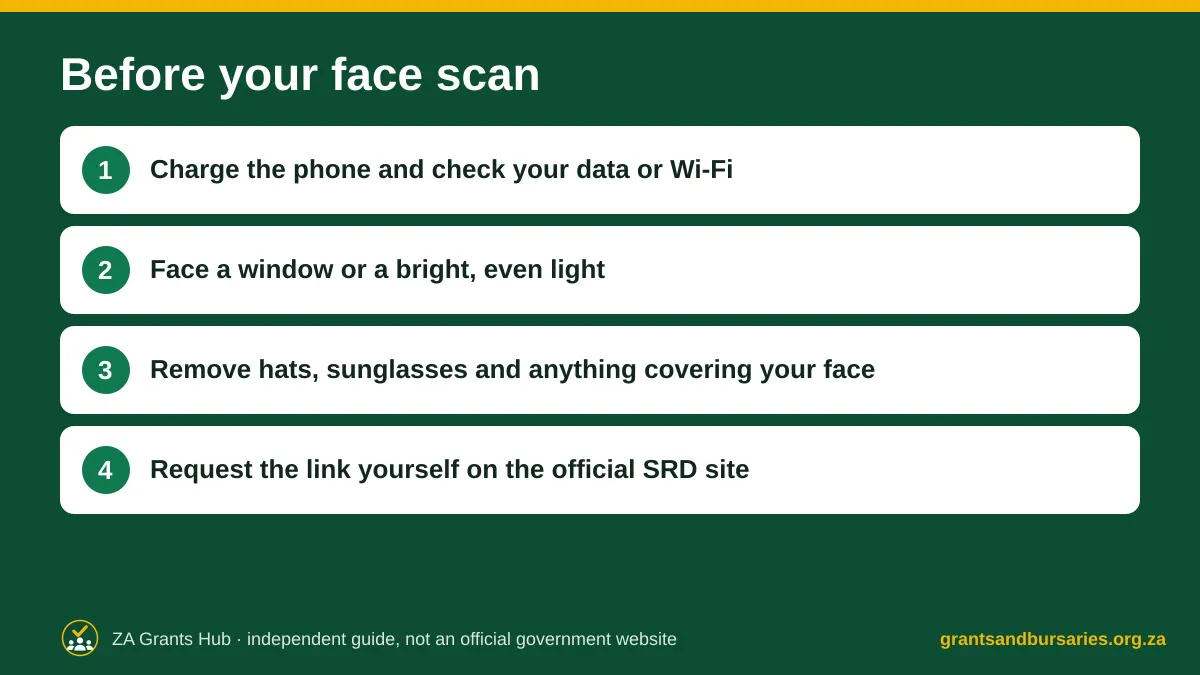
Good light and a steady phone make the biggest practical difference. SASSA told Parliament that many complaints may relate to poor lighting, weak connections or no photo on record at Home Affairs.
- Wipe the camera lens.
- Sit facing a window or lamp, not with it behind you.
- Hold the phone at eye level.
- Remove hats and sunglasses.
- Keep a plain background where possible.
- Move somewhere with a stronger signal.
- Close other apps.
If your appearance has changed a lot since your ID photo, or Home Affairs has no usable image, repeating the scan may not help. Go to an office.
Can you do biometric verification without a smartphone?
Yes. Visit a SASSA local office. In January 2026 SASSA said all its offices are equipped with kiosks, official laptops and guest Wi-Fi to support identity verification.
This route is for people with no smartphone, laptop or data. It also helps when your camera does not work or the online scan fails.
How do you verify at a SASSA office?
- Find your nearest local office. Our Offices page is a starting point.
- Take your ID or permit and your status details.
- Tell staff that you need biometric identity verification.
- Say that you do not have a smartphone or that the online check failed.
- Follow the official's instructions at the kiosk or desk.
- Ask whether your verification was captured.
- Write down the date and any reference.
SASSA does not charge you for this. Ask an official, not a person outside the building, for help.
Can you use a family member's phone?
You may be able to open your link on a phone you borrow, as long as the SMS reaches your registered number. Close all pages afterwards. Do not leave your ID number, screenshots or messages on someone else's device.
What happens after your face or fingerprint check?
SASSA uses the result to confirm that you match the identity on record. The aim is to stop another person acting in your name.
A successful check answers one question only: are you who you say you are? It does not test your income, your UIF record or your bank account. Those are separate checks with their own results.
That is why your status may still show something else after a good scan. Read the new message instead of assuming the scan failed.
Your biometrics are sensitive information. Give them only to the official website process you started yourself, or to staff inside a SASSA office. Do not let a street agent or stranger photograph your face or take your fingerprints for "grant registration".
How should you plan your office visit?
A little planning avoids a wasted taxi fare. Confirm what you can before you leave home.
- Check your status first and write down the exact words.
- Call 0800 60 10 11 to ask which office can help and when it is open.
- Pack your ID, phone and proof in one envelope.
- Go early in the day and carry water and any medicine you need.
- At the entrance, ask which queue handles biometric verification.
- Before you leave, ask what happens next and when to check again.
If you are turned away, ask politely why, and what you must bring next time. Write down the date and the answer. If you believe the service was unfair, see How to complain to SASSA.
What if you are old, ill or cannot travel?
Phone SASSA before anyone travels for you. Explain your condition and ask what arrangement is possible. Another person cannot give biometrics in your place.
If someone collects your grant for you, that is a procurator arrangement with its own forms. Read Who can be a procurator. It does not let that person pretend to be you during an identity check.
What if you live far from an office?
Try the online route first if you can borrow a trusted person's smartphone. The SMS must still reach your own registered number, so keep your phone with you. If that is not possible, ask the call centre whether any outreach service is planned near you.
Which problems does biometric verification not solve?
It fixes identity doubts, not every blocked payment. Use this table to send your effort to the right place.
| Problem | Will a new scan help? | Better step |
|---|---|---|
| Declined for income | No | Gather statements and appeal |
| Declined for UIF | No | Ask the UIF what it holds |
| Bank details missing | Not by itself | Add your own account |
| Recorded as deceased | No | Go to Home Affairs |
| Wrong name or birth date on record | Unlikely | Correct it at Home Affairs |
| Website will not load | No | Try again later or phone SASSA |
If your status mentions a death record, follow Fixing a deceased status error. For missing money after approval, begin with your pay date and bank account.
How long does verification take to show?
We found no official fixed time for every case. A scan may confirm quickly on screen while your grant status updates later.
Keep the confirmation and check again after a while. Do not start several new links in one day just because the status looks unchanged. If the old message stays for a long time, phone SASSA and give the date you verified.
Can biometric verification help against identity theft?
Yes, it makes it harder for someone else to take over your application. A thief may know your ID number, but not have your face or fingerprints.
Watch for changes you did not make, such as a new phone number or bank name. Report them at once and ask SASSA to check your record. Keep your ID document safe and share copies only where you must.
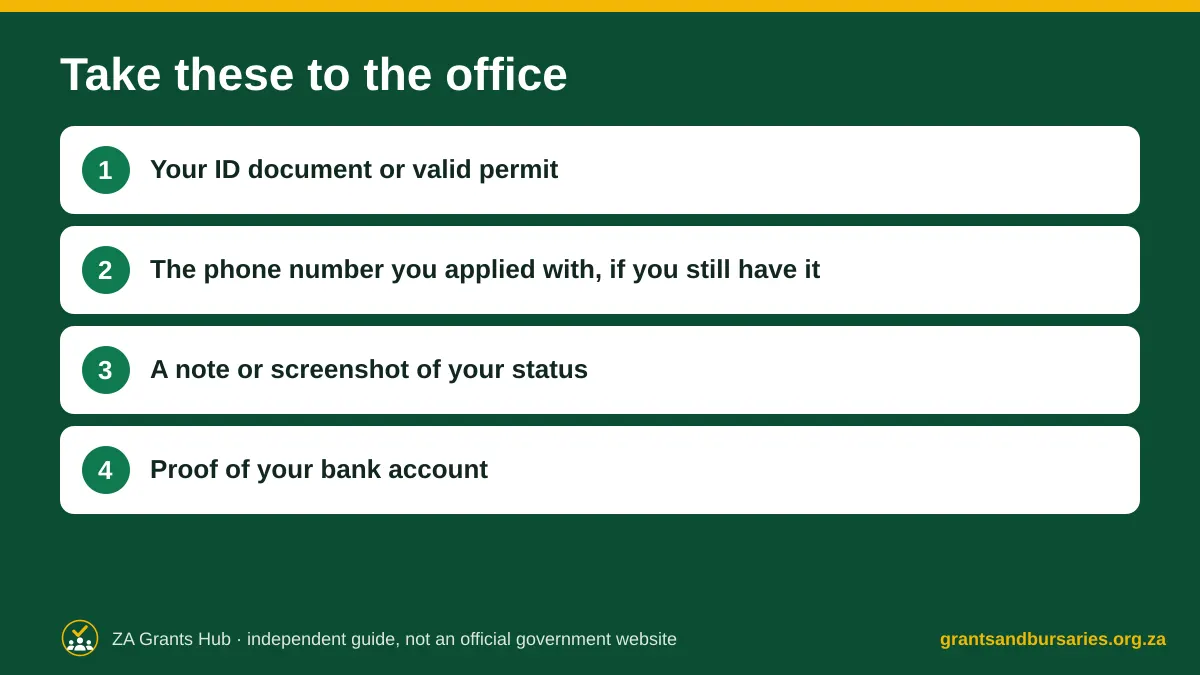
What should you take to the office?
Take proof of identity and anything that shows the problem. Requirements can differ by case, so phone first if the trip is long.
- South African ID book or smart ID card, or your valid permit or refugee document
- Your cellphone and registered number
- Screenshot or note of the status
- Any SASSA SMS
- Bank confirmation letter or recent statement
- For a child-related grant, the child's birth certificate if staff ask for it
If your ID is lost or damaged, start with Home Affairs on 0800 60 11 90 and ask SASSA what temporary proof it accepts.
What does SASSA biometric verification failed mean?
It means the check could not confirm that the face or print matches the records. It is not automatically a finding of fraud.
| What you see or experience | Likely area | What to do |
|---|---|---|
| No SMS arrives | Phone number or network | Check the number and request again |
| Link has expired | Time limit passed | Request a new link |
| Camera will not open | Browser permission or device | Allow access or use another phone |
| Scan fails repeatedly | Light, connection or photo record | Go to an office for fingerprints |
| Details do not match | Identity record | Check with Home Affairs |
| Status unchanged after success | Update still waiting | Wait, then ask SASSA |
SASSA told Parliament that when online face verification fails, clients are notified to do fingerprint verification at a local office.
How do you fix a failed verification?
Stop repeating the same attempt and change one thing at a time.
- Read the exact error message and screenshot it.
- Improve light and signal, then try once more.
- Try a different browser or a better camera.
- Request a fresh link if the old one expired.
- Check that your name and ID number are correct.
- Visit a SASSA office for fingerprint verification.
- If your Home Affairs record is wrong, correct it there.
If your status shows identity failed, read Identity verification failed. Referred results are covered in Failed and referred statuses. Our SASSA identity verification page gives more background.
What happens if you never complete verification?
The step that needs it stays open. A new application may not be approved, a change may not go through, or a payment may be held.
For social grants, SASSA has linked missing biometrics to the review process. Ignoring SMS notices can lead to delay or suspension. If a grant has already stopped, see How to restore a suspended grant.
A failed or missing verification is different from a decline for income. If your month says declined, read the reason first.
How is it different from e-Life Certification?
Biometric verification proves identity. e-Life Certification confirms that a grant beneficiary is still alive, and it also uses biometrics.
| Check | Purpose | Where |
|---|---|---|
| SRD eKYC | Confirm the SRD applicant | SRD website link or office |
| Biometric enrolment | Record beneficiary biometrics | SASSA offices |
| e-Life Certification | Confirm the beneficiary is alive | SASSA Online Services Portal |
If you were asked for proof of life, follow our Proof of life guide. The portal is also described on our Online services page.
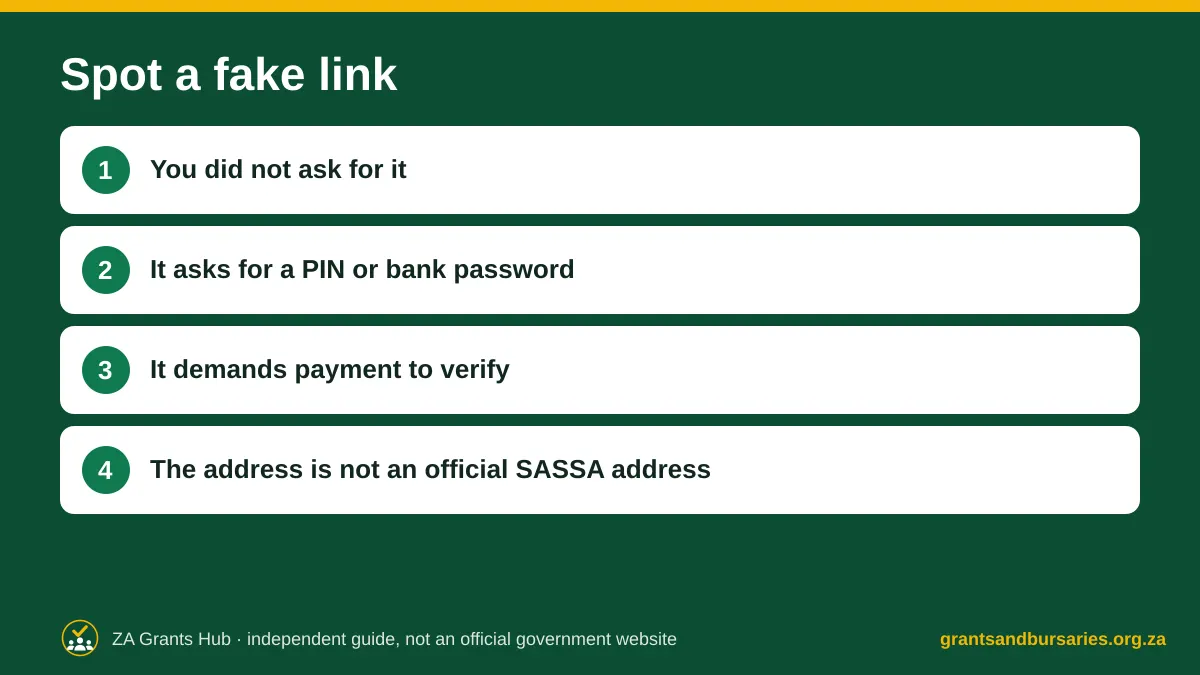
How do you avoid fake verification links?
Start every verification from the official website, not from a message that arrives out of nowhere.
Scammers copy logos and use urgent language such as "verify today or lose your grant". They want your ID number, face photo, PIN or one-time code.
If you already shared information, contact your bank, change passwords and call SASSA. Report fraud on 0800 701 701. Read current warnings on SASSA news and scam warnings.
What should you check after verifying?
Confirm that the result changed and that your other details are right. Verification solves identity, not every other problem.
- Check your status on the Official SRD routes.
- See whether any month now shows approved, pending or declined.
- Check your payment details.
- Keep your proof of the visit or success screen.
If banking is still outstanding, see Banking pending and failed payments.
Tips for completing biometric verification
- Start from the official site. Request your own link so you know it is genuine.
- Charge first. A phone that dies mid-scan forces you to start again.
- Use daylight. Face the light and avoid strong shadows.
- Do it yourself. Hold your own phone or let only a trusted person help.
- Act promptly. Use the link soon after it arrives.
- Avoid endless retries. After repeated failures, go to an office.
- Go early. Offices can be busy, so ask about queues and hours first.
- Record the visit. Note the date, office and what staff said.
- Update your number properly. Use official SASSA routes only.
- Pay nobody. Verification at SASSA is free.
Frequently Asked Questions
How do I do SASSA biometric verification?
Open srd.sassa.gov.za, request a verification link with your ID and registered number, then open the SMS on a phone with a front camera. Follow the face scan prompts and wait for confirmation. If you cannot do this, visit a SASSA local office, where staff can help with kiosks or official laptops.
Can I verify without a smartphone?
Yes. SASSA says its local offices have kiosks, official laptops and guest Wi-Fi for people without a smartphone, laptop or data. Take your identity document and your status details. Ask an official to confirm that your verification was captured, and write down the date of your visit for later queries.
Why does my face verification keep failing?
Poor light, a weak connection, a blurry camera or a problem with the photo on record can all cause failure. Try once more in bright light with a steady phone. If it fails again, go to a SASSA office, which can arrange fingerprint verification. Check Home Affairs if your details are wrong.
How long is the verification link valid?
An April 2025 SASSA statement said beneficiaries should act on the SMS link within 72 hours. Treat that as your limit and do it as soon as possible. If the link has expired or will not open, request a new one from the official SRD website.
I did not receive the SMS link. What now?
Check that your registered number is active, has signal and has space for messages. Request the link again after a while. If the number on file is old, update it through SASSA's official process. You can also call 0800 60 10 11 or visit a local office with your ID.
Does verification mean I will be paid?
No. It confirms your identity. SASSA still checks the other conditions, such as income and database records, and each month is decided separately. After verifying, watch for an approved status and a pay date. If a month is declined, read the reason and appeal within 90 days where appropriate.
Is biometric verification free?
SASSA does not charge you for verification, either online or at its offices. Your network may charge for mobile data if you do it on your own phone. Anyone asking for a fee to verify you, speed things up or guarantee approval is not helping you. Report them.
Can someone else complete it for me?
No one can stand in for your face or fingerprints. A trusted person may help you reach an office or read instructions. If you are unable to travel because of illness or frailty, call SASSA and ask what home or procurator arrangements apply, and what documents are needed.
What if I changed my phone number?
SASSA's 2026 booklet says SRD applicants who change their cellphone number must complete facial recognition. Use the official number change process and expect a verification step. Do not let a stranger change it for you. If you lost the old number and are stuck, visit a SASSA office with your ID.
Do old age and child grant recipients need biometrics?
SASSA started biometric enrolment at its offices on 1 September 2025 for grant beneficiaries, using fingerprints or facial data. If you have not enrolled or receive a notice, visit an office or call SASSA to confirm what applies to you. Do not ignore messages, because delays can affect payment.
Your best next step
If SASSA has asked you to verify, request your link from srd.sassa.gov.za today. If you have no smartphone or the scan has already failed, take your ID to a SASSA local office. Unsure of your result? Check the Status meanings page first.
Sources
- SASSA on biometric identity verification without a smartphone (gov.za)
- SASSA to introduce biometric enrolment (SAnews)
- You and Your Grant 2026 booklet (SASSA)
- Parliamentary reply NW3803 on biometric verification (PMG)
- SRD grant beneficiaries urged to verify identity (SAnews)

About The Author
Sarah Johnson is an informational writer covering South African social assistance programmes, SASSA grants and public service updates.
Keep Reading