- SRD Status Check Govchat: What You Need To Know
- Who Can Use SRD Status Check Govchat?
- Step-By-Step: How To Complete SRD Status Check Govchat
- What GovChat Is
- Staying Safe In Chat Services
- Documents And Details You Need For SRD Status Check Govchat
- SRD Status Check Govchat On Your Cellphone
- Other Ways To Handle This Process
- How Long Does This Process Take?
- Common Mistakes With This Process
- Quick Tips To Get SRD Status Check Govchat Right The First Time
- Problems With SRD Status Check Govchat And How To Fix Them
- Is It Free To Use This Process?
- How To Avoid Scams Around This Process
- SRD Status Check Govchat For Unemployed South Africans
- SRD Status Check Govchat For Parents And Caregivers
- This Process For Students And Young Adults
- This Process In The Free State
- SRD Status Check Govchat In KwaZulu-Natal
- This Process In Rural Areas And Low-Data Situations
- Data And Privacy When Using This Process
- What To Do If SRD Status Check Govchat Fails Repeatedly
- How This Process Compares With Related Processes
- What Recently Changed With This Process
- Helping Family Safely With SRD Status Check Govchat
- Helplines And Contact Points For This Process
- Key Terms And Glossary For This Process
- Frequently Confused Terms Around SRD Status Check Govchat
- Accessibility Tips For SRD Status Check Govchat
- Language Support For SRD Status Check Govchat
- Avoiding Busy Periods For SRD Status Check Govchat
- Saving Data And Airtime While Doing SRD Status Check Govchat
- Preparing Your ID, Number And Details For This Process
- After SRD Status Check Govchat: Next Steps
- Official Versus Unofficial Websites For SRD Status Check Govchat
- How We Keep This This Process Guide Updated
- Summary: Key Points About This Process
- Frequently Asked Questions About SRD Status Check Govchat
- Where To Go Next After SRD Status Check Govchat
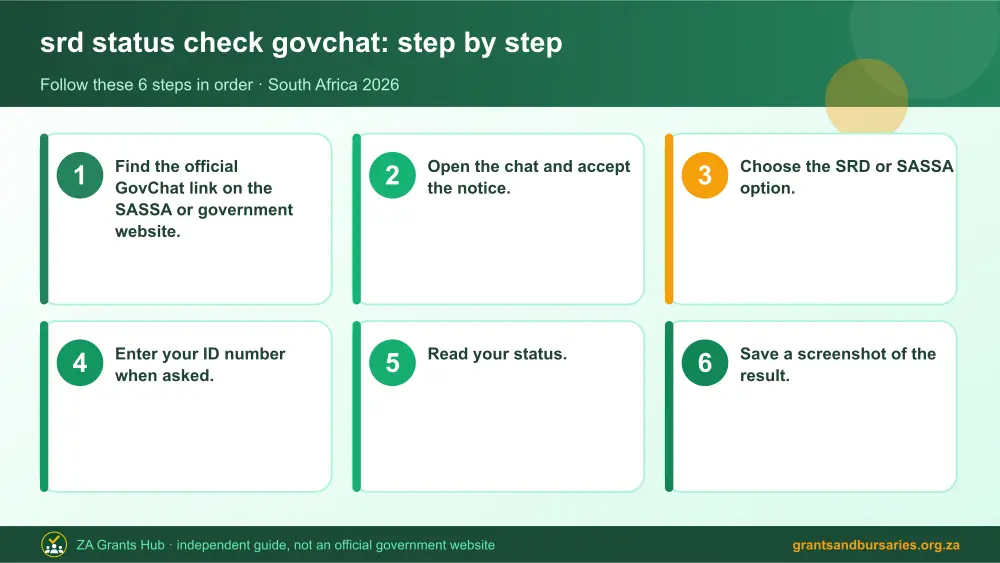
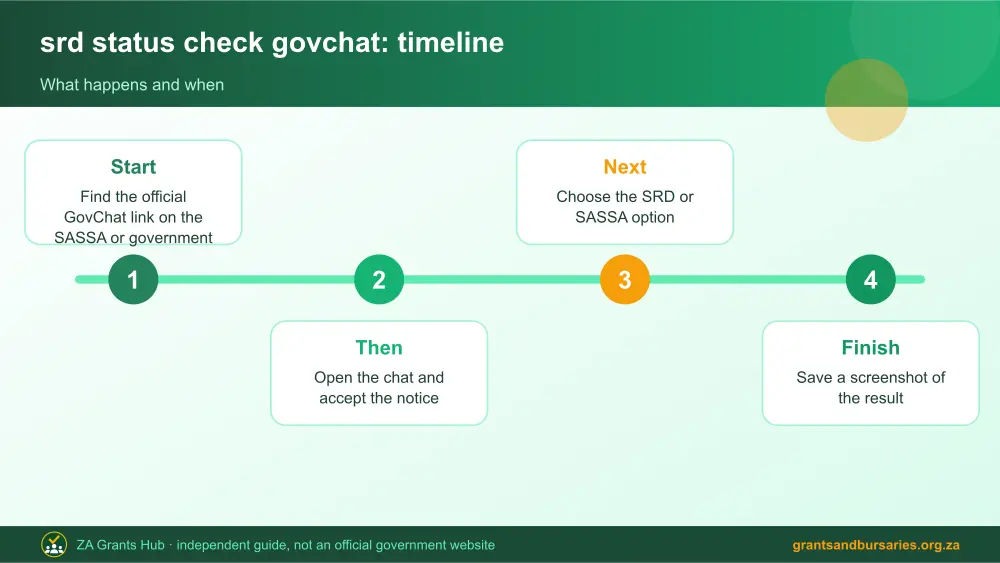
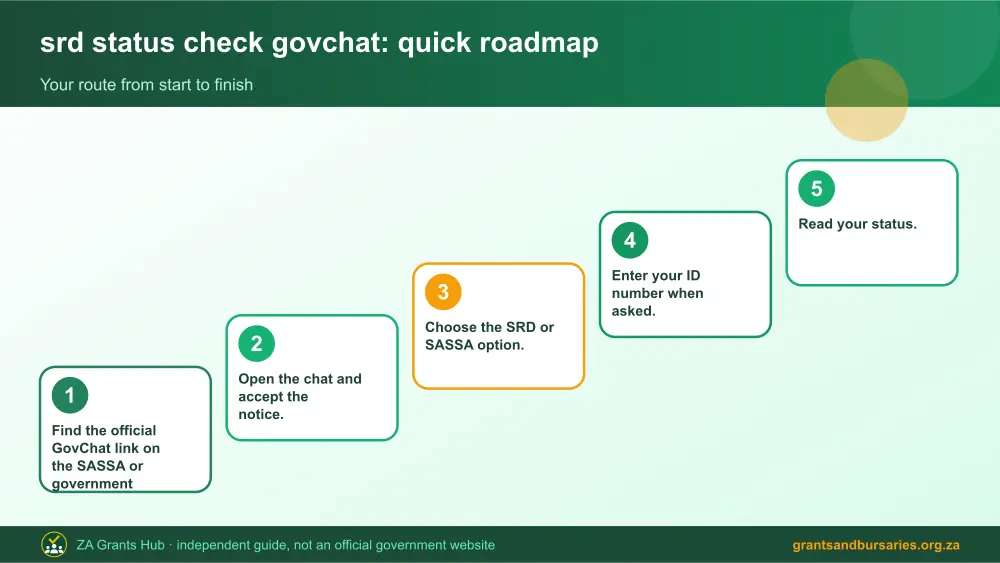
SRD status check govchat in 6 steps
- Find the official GovChat link on the SASSA or government website.
- Open the chat and accept the notice.
- Choose the SRD or SASSA option.
- Enter your ID number when asked.
- Read your status.
- Save a screenshot of the result.
SRD Status Check Govchat: What You Need To Know
The idea is simple: GovChat is a government messaging channel used for some public services. If you use it for SRD, make sure you are on the official GovChat channel and never share your PIN or OTP. The sections below walk through every part in plain language so that SRD and grant applicants can act with confidence.
To make the topic easy to follow, we break srd status check govchat into steps, documents, timelines and warnings. A good first move is to save a screenshot of the result, because everything else depends on it.
Do Language Barriers Affect This Process?
They can. Ask a trusted helper to translate, but enter your own details yourself and never share a PIN.
What If The Official Page About This Process Uses Wording I Do Not Understand?
Do not guess. Take a screenshot, look up the wording on this page or ask your local SASSA office to explain it.
Who Can Use SRD Status Check Govchat?
SRD status check govchat is aimed at SRD and grant applicants. Eligibility is decided by the official rules, which can include age, residency, income and documentation. Read the criteria carefully before you spend time on an application.
If you are unsure whether you qualify, start by gathering registered cellphone number and data or Wi-Fi. These are the items most often requested when eligibility is checked.
Can A Relative Help Me With This Process?
A trusted relative can read details back to you or sit with you, but your PIN and one-time codes must stay with you. A good habit is to check your status on the same day each month.
Should I Worry About Phishing Around SRD Status Check Govchat?
Yes, phishing is common. Ignore messages that threaten you or demand quick payment, and never click links from unknown senders. Official channels do not charge a fee.
Step-By-Step: How To Complete SRD Status Check Govchat
Follow these steps for srd status check govchat. First, choose the SRD or SASSA option. Next, read your status. Doing these two actions in order prevents the most common delays.
After that, enter your ID number when asked. Once complete, keep a screenshot or note of the result so you can quote it if you need help from the official SRD website.
Can I Follow The Steps From Outside South Africa?
Some online services work abroad, but verification rules can differ. Confirm with your local SASSA office before you rely on it.
What Should I Do With My Reference Number After SRD Status Check Govchat?
Save it in two places, on your phone and on paper. Quote it whenever you contact the official SRD website so that your case can be found quickly.
What GovChat Is
GovChat is a messaging service used by government to share information and services. Availability for SRD can change, so confirm on official sites.
If anything looks different from what you expected, pause and check with your local SASSA office rather than guessing.
How Often Should I Revisit This Process?
A monthly check suits most people, plus a check whenever you receive a message or change a detail. Put a reminder in your phone calendar.
What To Do First For SRD Status Check Govchat
Start with the basics: read your status. Everything else depends on getting that part right.
Staying Safe In Chat Services
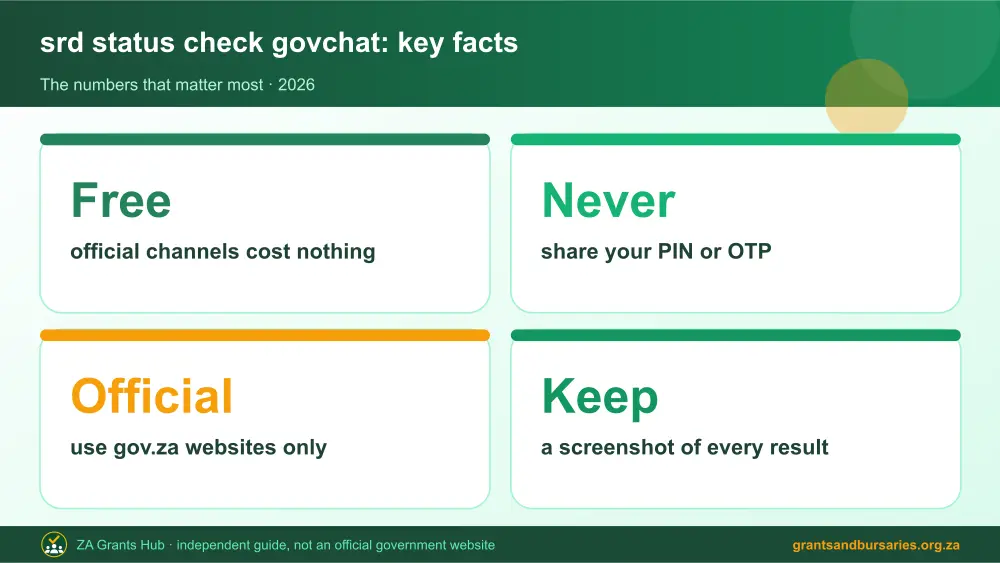
Never share OTPs or banking passwords, and treat unexpected chat messages with caution.
Keep smartphone nearby while you work through this, and bookmark the official website instead of searching each time.
Are The Rules For SRD Status Check Govchat The Same Everywhere In South Africa?
The national rules are the same, but local offices, queues and transport differ by area. Plan for your local conditions.
What To Do Next For SRD Status Check Govchat
Keep ID number within reach, and take a screenshot of every result you receive. These two habits remove most delays.
Documents And Details You Need For SRD Status Check Govchat
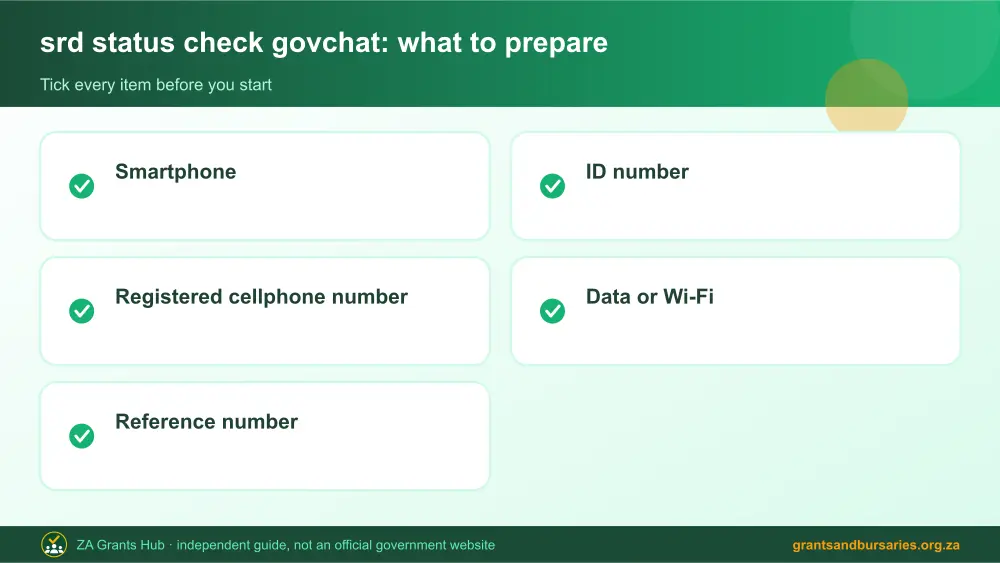
Before you begin, collect reference number, ID number and registered cellphone number. Having these ready saves time and reduces the chance of mistyped details.
Keep both a digital copy and a paper copy in a safe place. If one of the documents is missing, replace it before you start rather than guessing.
What Records Should I Keep For A Year After SRD Status Check Govchat?
Keep reference numbers, dates, screenshots and any letters. A tidy folder saves a lot of stress if a query arises later.
How To Double-Check Your Details For SRD Status Check Govchat
Use the SASSA toll-free helpline for anything that needs confirmation, and avoid submitting several duplicate applications.
SRD Status Check Govchat On Your Cellphone
Most SRD and grant applicants complete srd status check govchat on a cellphone. Use a recent browser, keep your battery charged and make sure you have enough data before you begin. A stable connection avoids half-submitted forms.
If your screen is small, rotate the phone and zoom in while typing numbers. Take a screenshot at the end so that you can confirm what you submitted.
What Should A Family Do Together About This Process?
Agree who keeps documents, who remembers dates and who handles questions. Shared responsibility reduces missed steps.
Who To Ask For Help For SRD Status Check Govchat
Write down the date and the result, then ask a trusted relative to double-check what you typed. A short record is a big help later.
Other Ways To Handle This Process
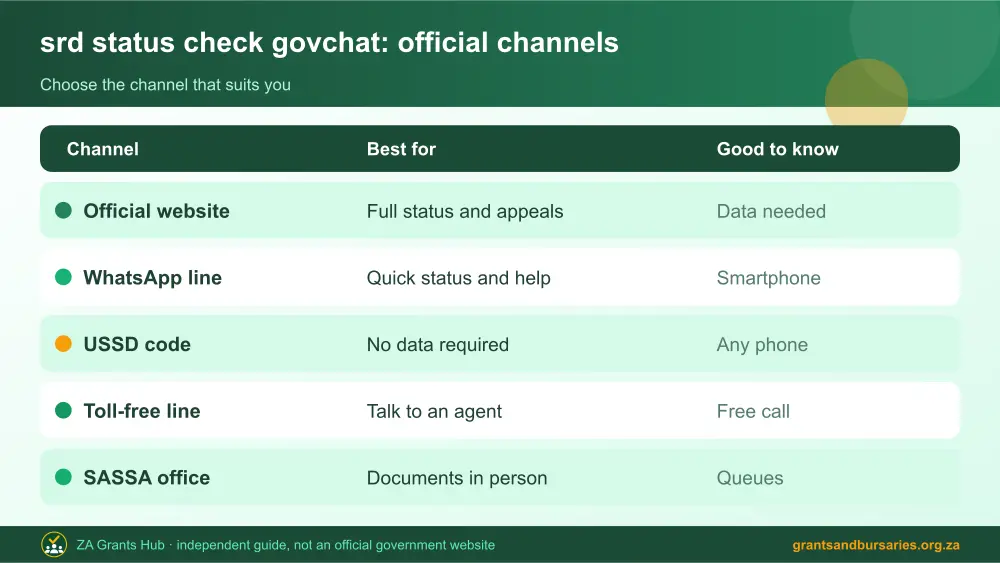
Depending on the service, you may have more than one route for srd status check govchat: the official SRD website is often the quickest, while a branch or office visit is useful when documents need checking in person.
Choose the route that matches your situation. If one route is busy or offline, try again later or switch to another official option instead of repeating the same attempt.
Is It Worth Checking This Process Even If I Am Unsure I Qualify?
If the official rules say you may qualify, checking costs nothing. Read the criteria first so you do not waste time on a route that cannot work.
What To Keep For Your Records For SRD Status Check Govchat
If a step fails, pause and re-check registered cellphone number. Then find the official GovChat link on the SASSA or government website.
How Long Does This Process Take?
Timing for srd status check govchat depends on verification, queues and the time of the month. Some results appear within minutes, while others can take days or weeks, particularly around month-end and holidays.
You can improve your chances of a fast result by submitting correct details the first time. As a habit, write down the date of every application or appeal.
Do I Need Data For This Process?
You normally need a data connection, but you can lower the cost by preparing ID number first and connecting only when you are ready. Free Wi-Fi at a library or community centre can also help.
When To Try Again For SRD Status Check Govchat
Do not rely on rumours; confirm any change with the official SASSA channels first.
Common Mistakes With This Process
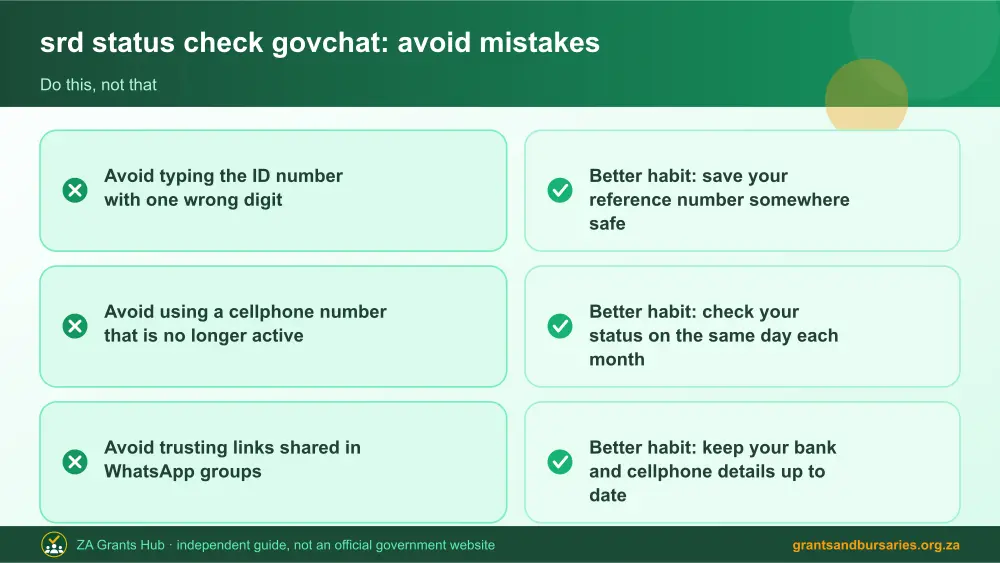
A common mistake is using a cellphone number that is no longer active. Another is relying on an old screenshot instead of a fresh check. Both are easy to avoid when you slow down and double-check your entries.
People also lose time by paying someone for a service that is free. Before submitting, read your answers aloud once and compare them with data or Wi-Fi.
How Do I Explain This Process To Someone Who Struggles To Read?
Go slowly, point to each step on a printed copy and let them enter their own details. Praise progress and avoid taking over their phone.
How To Avoid Delays For SRD Status Check Govchat
Start with the basics: save a screenshot of the result. Everything else depends on getting that part right.
Quick Tips To Get SRD Status Check Govchat Right The First Time
A useful habit is to ask a trusted relative to double-check what you typed. It is also wise to keep your SIM active and your phone charged, because small organisational habits prevent large problems later.
If you help a parent, grandparent or neighbour with srd status check govchat, explain each step and let them keep control of their own PIN and documents.
Why Do The Steps For SRD Status Check Govchat Work On One Phone But Not Another?
Browsers, data settings and network quality differ between phones. Update your browser, switch networks if you can and try again.
How To Stay Safe Online For SRD Status Check Govchat
Keep reference number within reach, and bookmark the official website instead of searching each time. These two habits remove most delays.
Problems With SRD Status Check Govchat And How To Fix Them
If srd status check govchat does not work, do not panic. Check your connection, re-enter your details carefully and confirm that ID number is correct. Many failures are caused by one wrong character.
If the problem continues, note the exact error message and the time, then contact the SASSA toll-free helpline. Clear details help support staff solve your case faster.
What Mistakes Do First-Timers Make With This Process?
First-timers often rush, skip reading and forget to save a reference. Slow down and avoid sharing a PIN or OTP with a so-called helper.
How To Help A Relative For SRD Status Check Govchat
Use the official SASSA channels for anything that needs confirmation, and avoid letting banking details go out of date.
Is It Free To Use This Process?
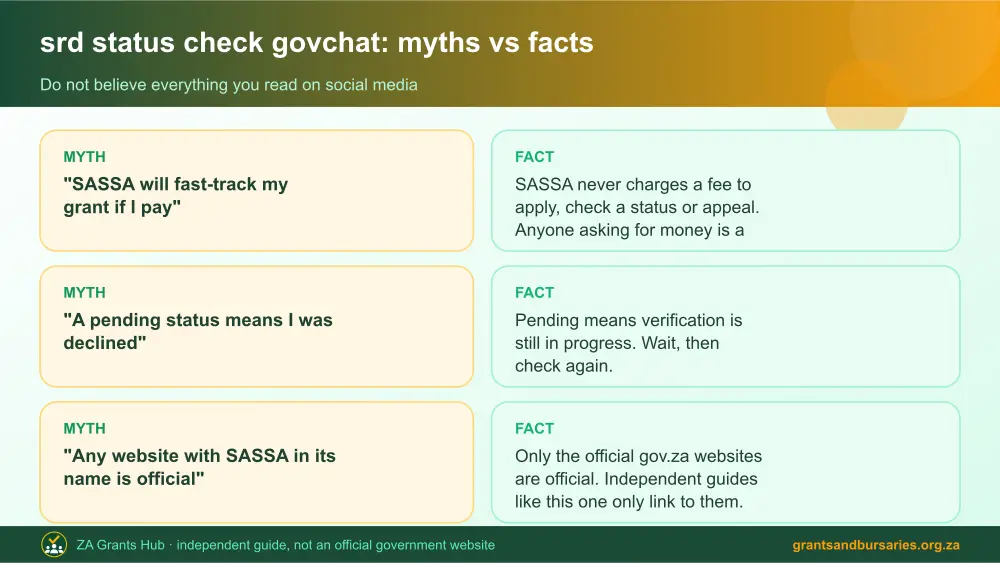
Yes, using official channels for srd status check govchat is free. If someone asks for a fee, "admin charge" or "priority payment", you are almost certainly dealing with a scam.
Data or airtime costs may still apply on your network. To save money, prepare reference number first and then connect only for as long as you need.
Can I Rely On Social Media Updates For This Process?
Treat them as leads, not facts. Confirm anything important with the SASSA toll-free helpline before you act.
What To Do If You Are Stuck For SRD Status Check Govchat
Write down the date and the result, then keep your bank and cellphone details up to date. A short record is a big help later.
How To Avoid Scams Around This Process
Scammers copy official names and send links by SMS, WhatsApp and social media. Always type the official address yourself or use a trusted bookmark, and never share a PIN or OTP.
If you receive a suspicious message about srd status check govchat, avoid clicking, take a screenshot and report it. Warn relatives who may be less familiar with online safety.
Does Month-End Make SRD Status Check Govchat Slower?
Systems and offices are often busier near month-end and after announcements, so responses can be slower. If you have a choice, try a mid-week morning.
Small Habits That Save Time For SRD Status Check Govchat
If a step fails, pause and re-check data or Wi-Fi. Then open the chat and accept the notice.
SRD Status Check Govchat For Unemployed South Africans
For people who are unemployed, srd status check govchat can be an important step. Keep proof of your situation, such as smartphone, in case you are asked to confirm it later.
Remember that rules about income and other support can change, so check the latest criteria with the official SASSA channels before relying on an outcome.
How Do I Know I Am On The Right Website For This Process?
Check the address bar, look for the padlock and compare the domain with the official SASSA channels. If a link arrives by SMS or in a group, type the address yourself instead.
How To Read The Result For SRD Status Check Govchat
Do not rely on rumours; confirm any change with the SASSA toll-free helpline first.
SRD Status Check Govchat For Parents And Caregivers
Parents and caregivers often handle srd status check govchat for more than one person. Keep a simple folder for each family member and label data or Wi-Fi clearly.
When you help children or relatives, remember that their details must match their own documents exactly.
How Do I Recover If I Lose My Documents While Working On This Process?
Report the loss, request replacements and note the dates. Keep a digital copy of everything once you have it again.
What To Ignore On Social Media For SRD Status Check Govchat
Start with the basics: choose the SRD or SASSA option. Everything else depends on getting that part right.
This Process For Students And Young Adults
Students and young adults searching for srd status check govchat should read the criteria carefully, because funding and grants can overlap or exclude each other. Check how one source affects another before you apply.
Use your own cellphone number and email whenever possible so that notifications reach you directly.
Are There Hidden Costs In This Process?
Official steps are free. The only costs are data or transport, so plan ahead and ignore anyone who invents a fee.
How To Prepare In Advance For SRD Status Check Govchat
Keep smartphone within reach, and write down the date of every application or appeal. These two habits remove most delays.
This Process In The Free State
If you live in the Eastern Cape, srd status check govchat follows the same national rules, but local offices, queues and support options can differ. Plan your trip, travel costs and time before you go.
Local community advice offices can help with documents. Always confirm what they tell you with the official SRD website.
How Can I Help A Neighbour With This Process Safely?
Explain the steps, let them keep control of their own PIN and avoid photographing their documents.
What To Do After A Success For SRD Status Check Govchat
Use the official SRD website for anything that needs confirmation, and avoid trusting links shared in WhatsApp groups.
SRD Status Check Govchat In KwaZulu-Natal
Residents of Gauteng use the same official process for srd status check govchat. Where network coverage is weak, prepare reference number offline and submit when you have a signal.
Municipal libraries and community centres sometimes offer free Wi-Fi that can help with srd status check govchat.
Which Device Works Best For SRD Status Check Govchat?
A recent smartphone browser is usually enough. Keep the browser updated, close extra tabs and avoid public computers that could save your details.
What To Do After A Failure For SRD Status Check Govchat
Write down the date and the result, then keep your SIM active and your phone charged. A short record is a big help later.
This Process In Rural Areas And Low-Data Situations
In rural areas, signal and data are the biggest barriers to srd status check govchat. Prepare registered cellphone number beforehand, then submit during off-peak hours when networks are less congested.
A trusted local helper, community worker or ward office can sometimes assist. Keep PINs private even from helpers.
What Is The Best Time Of Day For This Process?
Early morning and late evening are often quieter online, but offices need daytime visits. Choose the quietest time that suits you.
Which Documents Matter Most For SRD Status Check Govchat
If a step fails, pause and re-check ID number. Then find the official GovChat link on the SASSA or government website.
Data And Privacy When Using This Process
Your personal information is valuable. When handling srd status check govchat, only enter your ID, phone number and banking details on official websites and never on social media posts or forms sent by strangers.
Log out of shared computers, clear browser data on borrowed devices and avoid public Wi-Fi for sensitive entries.
Is It Safe To Use Someone Else's Phone For This Process?
It is risky, because PINs go to the registered number and shared devices can store your details. Use your own device where possible and log out afterwards.
Which Channel Is Fastest For SRD Status Check Govchat
Do not rely on rumours; confirm any change with your local SASSA office first.
What To Do If SRD Status Check Govchat Fails Repeatedly
If srd status check govchat fails more than twice, stop and review what you typed. Compare each detail with smartphone. A single mismatch is usually the cause.
Then wait a few hours, try again, and contact the SASSA toll-free helpline with screenshots if the problem continues. Persistent, polite follow-up works better than many rushed attempts. Whether you search for “sassa chatbot” or “govchat sassa”, the safest route is the official one.
Do The Details I Give For This Process Affect My Other Applications?
It can, because information is compared across systems. Keep your details consistent everywhere and report changes honestly.
Which Channel Is Safest For SRD Status Check Govchat
Start with the basics: enter your ID number when asked. Everything else depends on getting that part right.
How This Process Compares With Related Processes
SRD status check govchat is related to other processes such as SRD status check r370. Understanding how they connect helps you avoid duplicate applications and conflicting information.
If you are unsure which route applies, read the overview of each related topic first and then choose the one that fits your situation.
What Should I Screenshot When Working On This Process?
Take a screenshot of the confirmation, any reference number and the date and time. These small records help if you later need to query the outcome with the official SRD website.
How To Explain The Steps To Someone Else For SRD Status Check Govchat
Keep smartphone within reach, and save your reference number somewhere safe. These two habits remove most delays.
What Recently Changed With This Process
Rules, amounts and dates linked to srd status check govchat can change when government announces updates. We refresh this page regularly, but you should always compare it with the official SASSA channels.
When you see big headlines or viral messages, verify them first. Many rumours circulate faster than official notices.
How Do I Prepare Mentally For A Long Wait With This Process?
Plan for several days rather than hours, keep your phone charged for messages and avoid acting on rumours.
What To Check Once A Month For SRD Status Check Govchat
Use your local SASSA office for anything that needs confirmation, and avoid typing the ID number with one wrong digit.
Helping Family Safely With SRD Status Check Govchat
Many South Africans help family members with srd status check govchat. The golden rule is to guide, not to take over: let the person enter their own PIN and approve their own submissions.
Explain the steps, remind them about scams and keep a short written record of what was done.
Who Can I Ask In My Community About This Process?
Ward offices, libraries and advice offices may help you understand the steps. Confirm anything they tell you with the official SASSA channels.
What Happens If You Wait For SRD Status Check Govchat
Write down the date and the result, then check your status on the same day each month. A short record is a big help later.
Helplines And Contact Points For This Process
For personal queries about srd status check govchat, use your local SASSA office. Have your ID, reference number and a short summary of the problem ready before you call or message.
Write down the date, time and name of the person who assisted you in case you need to follow up.
How Do I Plan My Month Around This Process?
Put key dates in your calendar, set a reminder to check results and keep a small buffer in case things arrive late.
How To Avoid Duplicate Attempts For SRD Status Check Govchat
If a step fails, pause and re-check registered cellphone number. Then read your status.
Key Terms And Glossary For This Process
Understanding a few key terms makes srd status check govchat less confusing. The glossary below explains the words you will meet most often.
If you see a term that is not on the list, ask the SASSA toll-free helpline to explain it before you proceed.
- SASSA
- The South African Social Security Agency, the public body that administers social grants.
- SRD grant
- The Social Relief of Distress grant, a temporary monthly payment for eligible unemployed adults.
- Means test
- An assessment of income and assets used to decide whether you qualify.
- OTP / PIN
- A one-time code sent to your phone to prove it is really you. Never share it.
- Reference number
- A number that identifies your application when you contact SASSA.
- Appeal
- A formal request to review a declined decision.
- Verification
- Checks of your ID, bank account and income against other databases.
How Can I Double-Check My Answers Before I Submit Anything For This Process?
Read each field aloud, compare it with data or Wi-Fi and confirm the cellphone number. A thirty-second review prevents many failures.
Where To Find Official Updates For SRD Status Check Govchat
Do not rely on rumours; confirm any change with the SASSA toll-free helpline first.
Frequently Confused Terms Around SRD Status Check Govchat
Many people confuse similar terms around srd status check govchat, such as a reference number and an ID number, or a status and a payment. Knowing the difference helps you describe your problem clearly.
If you are unsure what a message means, take a screenshot and ask the official SRD website.
Can I Save My Progress And Finish The Steps For SRD Status Check Govchat Later?
Most online forms do not save partial answers, so finish in one sitting or write your answers down first.
How To Verify A Message For SRD Status Check Govchat
Start with the basics: open the chat and accept the notice. Everything else depends on getting that part right.
Accessibility Tips For SRD Status Check Govchat
If you have low vision or limited literacy, increase text size, use voice features on your phone and ask a trusted person to read details back to you for srd status check govchat.
Take your time. Rushing is the main cause of mistyped digits and missed steps.
Can I Submit More Than Once For This Process?
Submitting duplicates rarely helps and can confuse the record. Check your current result first and only act again if the instructions tell you to.
How To Avoid Typing Errors For SRD Status Check Govchat
Keep data or Wi-Fi within reach, and take a screenshot of every result you receive. These two habits remove most delays.
Language Support For SRD Status Check Govchat
South Africans speak many languages, and official services may offer instructions in several of them. If English is difficult, ask a trusted helper to translate while you enter your own details for srd status check govchat.
Never accept paid translation or form-filling services that ask for your PIN.
What If My Details Changed After I Started This Process?
Update the changed detail before you continue. If your cellphone number changed, fix that first so PINs reach you, then enter your ID number when asked.
How To Keep Your PIN Private For SRD Status Check Govchat
Use the official SASSA channels for anything that needs confirmation, and avoid ignoring the reason shown for a decline.
Avoiding Busy Periods For SRD Status Check Govchat
Servers and offices are busiest at month-end, after announcements and around public holidays. For srd status check govchat, try early mornings or mid-week to avoid queues and slow pages.
If a page times out, wait a few minutes before retrying.
How Do I Stay Calm If The Process For SRD Status Check Govchat Takes Longer Than Expected?
Delays are common and rarely mean a rejection. Keep records, check once a day at most, and contact the SASSA toll-free helpline if the usual time has passed.
What To Do On A Slow Network For SRD Status Check Govchat
Write down the date and the result, then save your reference number somewhere safe. A short record is a big help later.
Saving Data And Airtime While Doing SRD Status Check Govchat
Prepare ID number offline, switch off background apps and close extra tabs to save data while doing srd status check govchat. Use free Wi-Fi when it is safe to do so.
Avoid repeated reloads. If a page hangs, wait before trying again.
What Should I Bring If I Visit An Office About SRD Status Check Govchat?
Bring your ID, reference number, registered cellphone number and a pen. Arrive early and keep copies of anything you hand in.
How To Plan Around Month-End For SRD Status Check Govchat
If a step fails, pause and re-check reference number. Then choose the SRD or SASSA option.
Preparing Your ID, Number And Details For This Process
Have your ID number, cellphone number and any reference numbers written down before starting srd status check govchat. Typing from a clear note is more accurate than guessing from memory.
Check each digit once more before submitting.
What Are The Warning Signs Of A Scam Linked To This Process?
Requests for money, pressure to act quickly, links from strangers and requests for your PIN are classic warning signs. Stop and verify with your local SASSA office.
After SRD Status Check Govchat: Next Steps
Once srd status check govchat is complete, note the result, save your reference and put a reminder in your calendar for the next check. If anything looks wrong, act quickly.
If you need to take further action, such as an appeal or update, use the related guides on this site.
What If My Documents Are Incomplete For SRD Status Check Govchat?
Gather smartphone before you start, because incomplete details are a leading cause of delays. Replace anything missing first rather than guessing.
Official Versus Unofficial Websites For SRD Status Check Govchat
Official websites for srd status check govchat are run by government or the relevant institution and government addresses end in gov.za. Other endings, including org.za, can belong to anyone. Independent guides explain the process but are not official services.
Check the address carefully. Copycat sites often use similar spellings.
How Do I Keep My Phone Safe When Working On This Process?
Update your phone, use a screen lock and avoid installing unknown apps. A safe phone protects your PINs and personal details.
How We Keep This This Process Guide Updated
Rules, dates and amounts can change after this page was written. We aim to be clear, neutral and practical, and we point to official sources so that you can confirm the current position.
If you spot something out of date, tell us through the contact page.
What Happens If I Make A Typing Mistake When Dealing With This Process?
A wrong digit usually means a failed match, not a disaster. Re-enter the detail carefully, compare it with your documents and try again.
Summary: Key Points About This Process
To sum up, srd status check govchat is easiest when you use official channels, keep registered cellphone number ready and keep your bank and cellphone details up to date. Avoid submitting several duplicate applications and you will save time.
Bookmark this page, share it with friends and come back whenever you need a refresher.
What Is The Quickest Way To Get Unstuck With SRD Status Check Govchat?
Write down exactly what the screen says, compare your entries with reference number and then ask the official SRD website. Specific details get faster answers.
Frequently Asked Questions About SRD Status Check Govchat
Is GovChat official?
The official GovChat channel is; copies are not. Keep your ID details, reference number and a screenshot of the result, because they speed up any query or appeal. Never share your PIN or pay anyone for help, because the official services are free. Read our guide to SRD status check whatsapp for the full steps.
Can I check SRD on GovChat?
Where the official channel supports it. Keep your ID details, reference number and a screenshot of the result, because they speed up any query or appeal. Details can change from month to month, so confirm them on the official SRD website or through the official SASSA channels before you act. Read our guide to SRD status check ussd for the full steps.
Is it free?
The service is free, data may apply. If something looks wrong, wait a few hours and try again, then contact the official channel with your screenshots. Use the same cellphone number and ID details you applied with, because mismatches are a common cause of delays. Read our guide to SRD status check r370 for the full steps.
What if it does not work?
Use the website, WhatsApp or USSD. Details can change from month to month, so confirm them on the official SRD website or through the official SASSA channels before you act. Keep your ID details, reference number and a screenshot of the result, because they speed up any query or appeal. Read our guide to SRD status check whatsapp for the full steps.
Is srd status check govchat free in South Africa?
Yes. Using official channels for srd status check govchat is free. Anyone asking for payment is likely running a scam. Keep your ID details, reference number and a screenshot of the result, because they speed up any query or appeal. Read our guide to SRD status check ussd for the full steps.
Is this website the official srd status check govchat website?
No. ZA Grants & Bursaries Hub is an independent information guide. We link to the official services but cannot act for you. Details can change from month to month, so confirm them on the official SRD website or through the official SASSA channels before you act. If something looks wrong, wait a few hours and try again, then contact the official channel with your screenshots. Read our guide to SRD status check r370 for the full steps.
What documents do I need for srd status check govchat?
Typically you need smartphone, ID number, registered cellphone number. Confirm the full list on the official channel. Details can change from month to month, so confirm them on the official SRD website or through the official SASSA channels before you act. If something looks wrong, wait a few hours and try again, then contact the official channel with your screenshots. Read our guide to SRD status check whatsapp for the full steps.
How long does srd status check govchat take?
It depends on verification, queues and the time of the month. Submit correct details the first time and check again after a few days. Details can change from month to month, so confirm them on the official SRD website or through the official SASSA channels before you act. Keep your ID details, reference number and a screenshot of the result, because they speed up any query or appeal. Read our guide to SRD status check ussd for the full steps.
What should I do if srd status check govchat fails?
Re-check your details, wait a few hours and try again. If it keeps failing, contact the official channel with screenshots. Never share your PIN or pay anyone for help, because the official services are free. Keep your ID details, reference number and a screenshot of the result, because they speed up any query or appeal. Read our guide to SRD status check r370 for the full steps.
Where To Go Next After SRD Status Check Govchat
Once you have finished with srd status check govchat, the most useful next reads are SRD Status Check On WhatsApp, SRD Status Check By USSD and SRD Status Check R370. Each guide links back here, so you can move between topics without losing your place.
If your question is not covered, use the Site search or browse the Full site map. Remember to confirm any date, amount or deadline with the official channel before you act.

About The Author
Sarah Johnson is an informational writer covering South African social assistance programmes, SASSA grants and public service updates.
Share This Guide
Keep Reading