To do a SASSA review status check, send "Hi" to the WhatsApp line 082 601 0111 that news reports of SASSA's October 2026 statement give, and follow the social grant menu. You can also phone 0800 60 10 11 or visit an office. A check only shows information. It does not complete a review.
Contents (16 topics)
- What does a review status check tell you?
- How to check your SASSA review status on WhatsApp
- What do the review results mean?
- Before you run the check
- How to check review status by phone, email or office
- How to check your review status after submitting documents
- Why is the SASSA review status check not working?
- Is "review required" on an SRD status the same thing?
- Can your payment be affected while the status is open?
- What if the status and your notice disagree?
- What should you say when you phone or visit?
- How often should you check your status?
- How to protect yourself while checking
- Tips for an easier SASSA review status check
- Frequently Asked Questions
- Your next step
What does a review status check tell you?
It tells you whether SASSA's system is currently showing a review or proof of life requirement for you. It may not tell you why you were selected or whether your documents were accepted.
Think of three separate questions. Is a review showing? Did SASSA receive what you sent? What did SASSA decide? One check rarely answers all three.
| Question | Best place to ask |
|---|---|
| Is a review showing? | WhatsApp check, phone or office |
| What must I bring? | Your notice or SASSA office |
| Were my documents received? | Office where you submitted |
| Was my grant approved to continue? | SASSA office or written notice |
| Why was payment late? | Call centre or office |
If you have not complied yet, start with our SASSA grant review guide, which covers documents and deadlines.
How to check your SASSA review status on WhatsApp
Message the official line, choose social grants, verify who you are and select the review option. Menus can change, so read each screen.
News outlets reporting SASSA's statement of 28 October 2026 give 082 601 0111 as the number. Confirm it on an official SASSA channel before you enter personal details.
- Save 082 601 0111 on your phone and check every digit.
- Open WhatsApp and send "Hi".
- Choose the social grants option.
- Complete the identity check, which has been reported to use your ID number and a one-time code.
- Look for the option asking whether you are in review.
- Read the full reply.
- Take a screenshot showing the date.
- Close the chat and do not forward your codes.
Warning: SASSA will never ask for your bank PIN. Leave any chat that does.
This line is different from the SRD WhatsApp number, 082 046 8553, which is for the SRD grant. SASSA also publishes other chatbot numbers in its materials, so check which service you are using. Our SASSA WhatsApp page helps you tell them apart.
Can you check on behalf of a parent?
Help them only with their permission and with them present. The one-time code usually goes to the registered phone. Do not keep their ID number or codes afterwards. If they cannot manage their affairs, ask SASSA about a Procurator.
What do the review results mean?
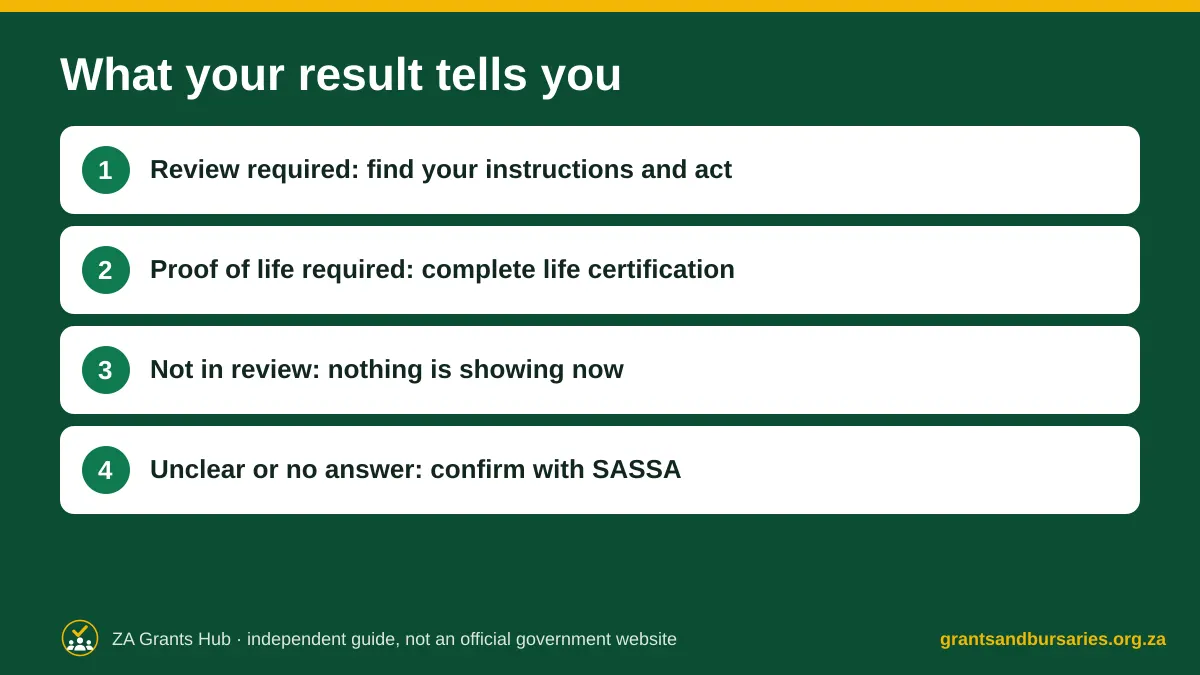
Each message points to a different action. Use the wording on your screen, because it may differ from the examples below.
| Result shown | Plain meaning | What to do |
|---|---|---|
| Grant review required | SASSA wants to reassess you | Find your notice and visit SASSA |
| Proof of life required | SASSA wants to confirm you are alive | Complete life certification |
| Not in review | No requirement is showing now | Keep a screenshot and watch messages |
| Record not found or check failed | Details did not match or system issue | Recheck details, then contact SASSA |
What should you do if a review is required?
Treat it as real until SASSA tells you otherwise. Ask which documents are needed and by what date. News reports of SASSA's October statement repeat its warning that failing to respond may result in suspended payments.
What if proof of life is required?
This is a narrower check than a review. The regulations require a life certificate each year when SASSA requests it. See our guide on Proof of life and "deceased" errors.
What does "not in review" mean?
It means the check is not showing a requirement at that moment. It does not promise that no review will come later. It also does not prove that documents you sent earlier were accepted.
If you hold a notice with a date, but the chat says you are not in review, do not ignore the notice. Ask your office which record is correct.
Before you run the check
Have a few things ready so that you do not abandon the check halfway.
- Your 13-digit ID number.
- The phone and SIM that SASSA has on record.
- Enough data and battery.
- Any review notice or SMS.
- A pen to write down the reply.
Choose a private spot. A reply about your grant can include personal information, so do not run the check on a stranger's phone or at a stall that charges for "help".
Which grant are you checking?
The social grant menu is for monthly grants, such as old age, disability and child grants. SRD has its own services. Choosing the wrong menu can give an answer that does not relate to your problem.
If you receive a child grant and also apply for SRD, check each one separately and note which result belongs to which.
How to check review status by phone, email or office
Use these routes when WhatsApp fails or you need an answer about your own file.
By phone
Call 0800 60 10 11, the toll-free line. Have your ID number, grant type and notice ready. Ask three things: is a review open, what is outstanding, and by what date. Write down the answer and any reference.
By email
Write to [email protected]. State your grant type, the office you visited and the date. Ask one clear question. Send identity details only to the official address, and never include your PIN. Email creates a record, though replies may take time.
At a SASSA office
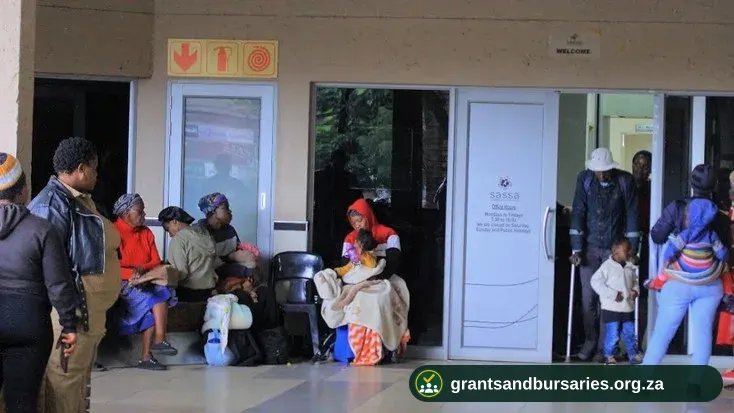
An official can look at your record with you. Take your ID, the notice and any receipt. Find a branch on our Offices page.
| Method | Cost | Gives a record? | Best for |
|---|---|---|---|
| Data | Screenshot | Quick yes or no | |
| Phone | Toll-free line | Your own notes | Explaining a problem |
| Data | Written trail | Follow-ups | |
| Office | Transport | Receipt if given | Proof and corrections |
How to check your review status after submitting documents
Ask the office that took your documents whether anything is still outstanding. A change in the chat result alone is not proof of the outcome.
Follow this routine:
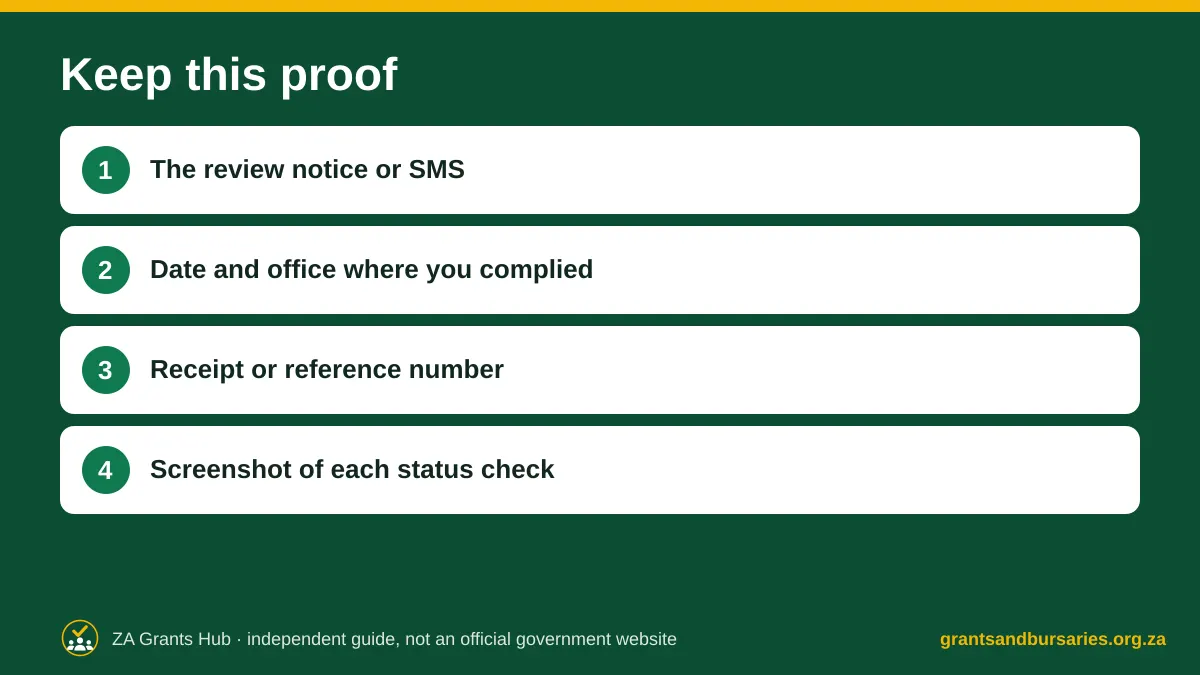
- Before you leave the office, ask for written proof of submission.
- Note the date, office, official and documents handed in.
- Ask when and how you will hear the result.
- Run a status check some days later and save the screen.
- If nothing changed, phone with your reference.
- If you still get no answer, return to the office.
- Check your payment on the next due date.
We could not confirm any official processing time for a review outcome. Ignore websites that promise a fixed number of days.
Why has the status not changed?
Several causes are possible, and only SASSA can say which applies. Records may not be updated yet. A document may be missing or unreadable. The review may have been captured under different details.
Do not keep submitting the same papers at several offices. Ask first whether something specific is needed.
How do you know SASSA received your documents?
A receipt, stamped copy or reference number is your strongest proof. If you were given none, send a short email confirming your visit while the details are fresh. Keep your own copies of every page.
Why is the SASSA review status check not working?
Most failures come from a wrong number, a weak connection or details that do not match SASSA's record.
| Problem | Try this |
|---|---|
| No reply to "Hi" | Check the number and data, then try later |
| No one-time code | Check signal and that your registered SIM is in the phone |
| Details do not match | Retype your ID number carefully |
| Registered number lost | Visit SASSA to update it |
| Review option missing | Return to the main menu or phone SASSA |
| Service unavailable | Use the call centre or an office |
If SASSA's systems appear to be offline, see our System down guide. If the problem is the code itself, our OTP page lists fixes.
What if you changed your cellphone number?
Tell SASSA in person and take your ID. Review notices go to the number on record. An old number can mean you miss a deadline without knowing. Read What changes to report.
Is "review required" on an SRD status the same thing?
Not necessarily. SRD has its own monthly assessment and status system, separate from reviews of permanent grants.
If an SRD screen shows a review-type wording, we could not confirm one official meaning for it. Read any reason shown, complete whatever the SRD portal asks, and do not file duplicate applications. Our SRD status check page and Status meanings page cover the common results.
What if the SRD portal asks for verification?
Request the link only from https://srd.sassa.gov.za and complete the face scan. SASSA's booklet requires this for referred applicants and for approved but unpaid statuses. Our Biometric verification guide walks through it.
Can you appeal an unfinished review?
An appeal is for a decision. If nothing has been decided, follow up instead. Once a month is declined, you can appeal within 90 days of that decision.
Can your payment be affected while the status is open?
Yes, payment can come later in the month, and it can be suspended if you do not comply. SASSA has said grants generally stay active during the review process.
In 2026, SASSA paid reviewed beneficiaries on a fourth payment day in some months. Check your notice and the published dates before you assume your money is missing.
If payment has stopped, a status check is no longer enough. Go to SASSA and read how to Restore a suspended grant. Under the regulations, restoration has a short time limit.
What if the status and your notice disagree?
Believe neither until SASSA confirms it. Take both the notice and your screenshot to the office.
Possible explanations include a delayed update, a message meant for an old number or a fake SMS. An official can check the record. Keep the note or reference they give you.
What should you say when you phone or visit?
Give the facts in order, then ask a direct question. This saves time for you and the official.
You could say: "I received a review message on this date. I handed in documents at this office on this date. Is anything still outstanding?" Replace each part with your own details.
Before you end the conversation, confirm:
- Whether the review is open or closed on the system.
- Which document, if any, is missing.
- The last date to provide it.
- Whether your payment is affected.
- A reference number or the official's name.
What if you get two different answers?
Ask for the answer to be checked against your file, preferably at the office. Tell the official what you were told earlier, and by which channel. Rely on written proof where you can get it.
What if nobody can find your submission?
Show your receipt and copies. If you have no receipt, give the date, office and documents from your notes. Ask whether to submit again, and get proof this time. You can also use our guide on How to complain to SASSA.
How often should you check your status?
Check when something changes, not every hour. Sensible moments are after a notice, after you submit documents and before a payment day if you were under review.
| When | What to check |
|---|---|
| Notice arrives | Whether the check matches the notice |
| After submitting | Whether anything is outstanding |
| Before payment day | Payment date and any new message |
| Payment missing | Review, suspension and banking details |
How to protect yourself while checking
Use only channels you can verify, and share the minimum. Scammers copy official names and logos.
- Type numbers yourself instead of tapping links.
- Never send photos of your bank card.
- Do not share one-time codes.
- Do not pay anyone to check a status.
- Delete screenshots from borrowed phones.
If someone already has your details and you see strange activity, contact your bank and SASSA. Report fraud on 0800 701 701.
Tips for an easier SASSA review status check
- Verify the number first. Save it only after matching it with an official SASSA source.
- Use your own phone. A borrowed device can keep your messages and ID details.
- Screenshot each result. Include the date, so you can show what you saw.
- Keep one notebook. Record calls, visits, names and references in one place.
- Ask exact questions. "Is anything outstanding?" gets a better answer than "What is happening?"
- Do not rely on one result. Match it with your notice and payment.
- Act on silence. If you complied but hear nothing, follow up rather than wait for payment day.
- Update contacts early. Fix your number and address before the next message is sent.
- Avoid copycat pages. Social media posts offering instant results are not SASSA.
Frequently Asked Questions
How do I check if my SASSA grant is under review?
Send "Hi" to 082 601 0111 on WhatsApp, a number reported from SASSA's October 2026 statement, and follow the social grant options. You can also phone 0800 60 10 11 or ask at an office. Confirm contact details through official channels before you share your ID number.
Does a review status check cost anything?
SASSA does not charge you to check. WhatsApp uses mobile data, and an office visit may cost transport money. The 0800 60 10 11 line is toll-free. Anyone asking for payment to check, clear or change your review status is not offering an official service, so refuse.
Does "not in review" mean my grant is safe?
It means no review or proof of life requirement is showing at that moment. It is not a promise about the future, and it does not confirm that a payment will arrive. Keep checking your messages, update your contact details and follow any written notice you have received.
How long does a SASSA review take after I submit?
We could not confirm an official processing time. It can depend on whether your documents are complete and whether anything needs more checking. Ask when you submit how you will be told. If you hear nothing and the result stays unchanged, follow up with your reference number.
Can I upload review documents on WhatsApp?
Do not assume so. The reported WhatsApp service is used to check status and access certain services, and we found no confirmation that it accepts review documents. Hand documents to SASSA using the method in your notice. Never send ID copies to an unverified number.
What if I get no code during the check?
Check that your registered SIM is in the phone and has signal. Wait a few minutes and try once more, rather than requesting many codes. If you no longer use that number, visit SASSA with your ID to update it. Never accept help from a caller asking for the code.
Will SASSA tell me if documents are missing?
SASSA may contact you, but do not depend on it. Before leaving the office, ask whether your file is complete. A few weeks later, phone or visit and ask the same question. Keep copies of everything so you can replace a missing page without starting again.
Can I check a review status without a smartphone?
Yes, phone the toll-free line on 0800 60 10 11 from any phone, or visit a SASSA office. Take your ID and any notice. A family member can help you travel or take notes, but share your personal details only with the official dealing with your file.
Does the check work for the Child Support Grant?
The social grant review option is meant for monthly social grants, and child grants are reviewed. The Minister's 2026 figures showed many child grant reviews. Check as the registered caregiver. If the result is unclear, take your ID and the children's documents to your SASSA office.
Why was my grant paid late if I already complied?
Payment may have been scheduled on a later review day, or your record may not yet be updated. Check the published date and your account first. If nothing arrives, phone SASSA with your reference and ask whether the review is closed or something is still outstanding.
Can I check someone else's review status?
Only with their knowledge and permission, or as their properly appointed procurator. Their phone may be needed for verification. Do not use another person's details to look into their grant on your own. SASSA can explain how to act for someone who is frail or ill.
Your next step
Run one status check today, save the screen with the date and compare it with any notice you have. If a review is showing, gather your documents and visit SASSA before the deadline. If you already submitted, ask your office whether anything is outstanding, using the details on our SASSA contact page.
Sources
- Cape Town ETC: SASSA December grant dates and review warning (SASSA statement of 28 October 2026)
- The Witness: SASSA WhatsApp number for grant checks (26 August 2026)
- SASSA statement: beneficiaries identified for review (2026)
- SASSA: You and Your Grant 2026 booklet
- Social Assistance Act regulations, Government Notice R.2119 (2022)

About The Author
Sarah Johnson is an informational writer covering South African social assistance programmes, SASSA grants and public service updates.
Keep Reading